
An experiment with desktop prototyping, text inputs, and debouncing in Framer.js
Often the process of creating a Google Doc, looks like this for a lot of folks (a process that I do quite a bit in the spur of the moment):
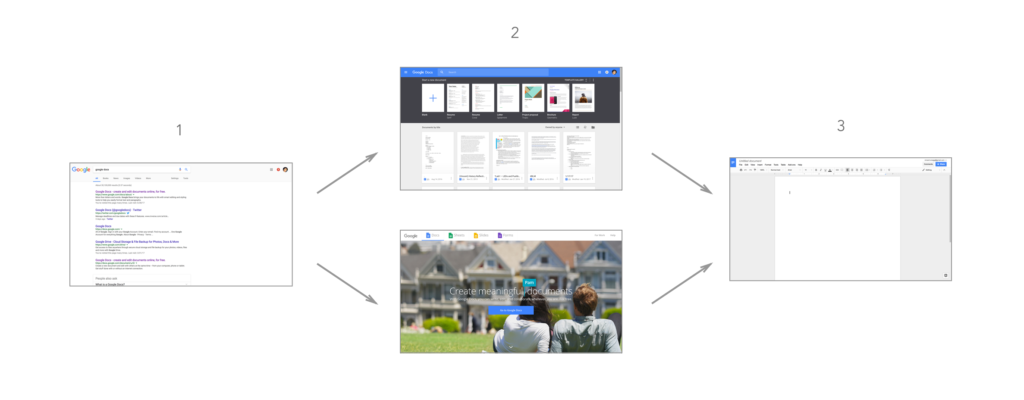
One too many steps are utilized to start authoring a document. Authoring a document takes place in a different browser tab than the the content you may be interested in.
They might run a quick search to enter the Google Docs interface, access a landing page, and only then are they able to create a new document. In order to remedy this, users (like myself) will also create shortcuts or use Chrome extensions, that open a new document. Yet these always opened in another tab, removing me from my original context.
In response, I started thinking about better ways to author documents quickly. Wouldn’t it be great if you could outline a document quickly, or jot down thoughts for later, with access to any content across all of your browser tabs?
I used this as an opportunity to explore text inputs in Framer, as well as how to achieve the “autosaving” effect with a trick I’m using more and more in my prototypes — debouncing. To achieve this simple effect this is all I’m doing in CoffeeScript:
document.addEventListener 'keydown', (event) ->
    # 'Shift' should not trigger the autosave (as should also the case for any key that doesn't return a visible character)
    if event.keyCode isnt 16
        save.html = "Saving..."
        saveChanges()

saveChanges = Utils.debounce 1, ->
    Utils.delay 1, ->
        save.html = "All changes saved in Drive"